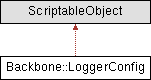
ScriptableObject configuration for the Logger. Allows setting default categories, their colors, and global log level directly from the Unity Inspector.
More...
|
| void | EnsureDefaultCategories () |
| | Ensures that default categories are present in the configuration.
|
| |
| void | ApplyConfig () |
| | Applies the configuration to the global Logger system.
|
| |
| Color | GetCategoryColor (string category) |
| | Returns the color assigned to a specific category.
|
| |
|
| void | OnEnable () |
| | Called automatically when the ScriptableObject is loaded or created. Guarantees default categories are added the very first time.
|
| |
| void | OnValidate () |
| | Automatically populate defaults when the asset is first created. This triggers right after creation in Unity.
|
| |
|
| static | readonly (string name, Color color)[] DefaultCategories |
| | Default categories with their associated colors.
|
| |
| static void | CheckLoggerStatusOnStart () |
| | Called automatically when Unity starts playing. Logs a message depending on whether ENABLE_LOGGING is active.
|
| |
ScriptableObject configuration for the Logger. Allows setting default categories, their colors, and global log level directly from the Unity Inspector.
◆ ApplyConfig()
| void Backbone::LoggerConfig::ApplyConfig |
( |
| ) |
|
Applies the configuration to the global Logger system.
◆ CheckLoggerStatusOnStart()
| static void Backbone::LoggerConfig::CheckLoggerStatusOnStart |
( |
| ) |
|
|
staticprivate |
Called automatically when Unity starts playing. Logs a message depending on whether ENABLE_LOGGING is active.
◆ EnsureDefaultCategories()
| void Backbone::LoggerConfig::EnsureDefaultCategories |
( |
| ) |
|
Ensures that default categories are present in the configuration.
◆ GetCategoryColor()
| Color Backbone::LoggerConfig::GetCategoryColor |
( |
string | category | ) |
|
Returns the color assigned to a specific category.
- Parameters
-
| category | The category name. |
- Returns
- The configured color or white if the category does not exist.
◆ OnEnable()
| void Backbone::LoggerConfig::OnEnable |
( |
| ) |
|
|
private |
Called automatically when the ScriptableObject is loaded or created. Guarantees default categories are added the very first time.
◆ OnValidate()
| void Backbone::LoggerConfig::OnValidate |
( |
| ) |
|
|
private |
Automatically populate defaults when the asset is first created. This triggers right after creation in Unity.
◆ readonly()
| static Backbone::LoggerConfig::readonly |
( |
string | name, |
|
|
Color | color ) |
|
staticprivate |
Default categories with their associated colors.
◆ categories
List of categories that can be managed from the Unity Inspector.
◆ colorMode
Controls which parts of the log will be colored in the console.
◆ globalLevel
| LogLevel Backbone::LoggerConfig::globalLevel = LogLevel.Debug |
Global minimum log level for filtering messages.
◆ groupByPrefix
Controls if categories must be displayer grouped by prefix.
The documentation for this class was generated from the following file:

 1.13.2